Stand near the bag check at any Disney park on a busy morning and you will see the same scene over and over: one parent holding the family’s entire day together on a single phone, and the other holding the snacks. The phone has the tickets, the 10:40 Lightning Lane for Slinky Dog Dash, the lunch order that is not yet placed and the dinner reservation that took three attempts to get. If that phone is set up properly, the day runs itself. If it is not, you find out at the turnstile. The My Disney Experience app is the operating system of a modern Walt Disney World trip, and learning it properly before you fly is the single most useful hour of planning you will do.
This guide walks through the app in the order you will actually use it: setting up the account, linking tickets and your hotel, building a Friends & Family list, booking dining and Lightning Lane, mobile ordering, virtual queues, MagicMobile, PhotoPass, and what to do when it stops working. It also covers the changes Disney rolled out in 2026 and the redesign that is still arriving in phases. Prices and features were checked in early October 2026; Disney updates the app every few weeks, so if a button has moved, the logic behind it almost certainly has not. For the wider picture of what to book and when, start with our Disney World planning guide.
What the app does, and when you need each part
Most of the app’s features are free. The ones that cost money are the ones you most need to set up in advance, because they are sold on a first-come basis at a fixed hour.
| Feature | When to set it up | Cost (checked October 2026) |
|---|---|---|
| Linking tickets and your hotel reservation | As soon as you have the confirmation numbers | Free |
| Friends & Family list | Before the 60-day dining morning | Free |
| Dining reservations | 60 days out, from 6am Eastern | Free to book; per-person no-show fees |
| Lightning Lane Multi Pass and Single Pass | 7am Eastern, 7 days before check-in for Disney resort guests or 3 days before each park day for everyone else | About $15–$45 per person per day; about $12–$24 per person per ride |
| Mobile order | On the day, ideally by mid-morning | Free (you pay for the food) |
| Virtual queues | 7am and 1pm, when Disney uses one | Free |
| MagicMobile (tickets in your phone’s wallet) | Before you fly | Free |
| PhotoPass and Memory Maker | Before your first photo | Viewing free; Memory Maker breaks even at about 11 downloads |
| Resort online check-in | In the days before arrival | Free |
| Park reservations | Annual Passholders only; now handled inside the app | Free |
If you only do three things from that list before you leave home, make them the first three. Almost every problem people have with the app in the parks traces back to a ticket that was never linked, a family member who was never connected, or a payment card that was never saved.
Setting up your account properly
The app is free on iPhone and Android, and it runs on the same MyDisney login that Disney now uses across its apps and websites, so if anyone in the house has a Disney+ account you may find you already have one. Pick one adult to be the planner. Everything is easier when a single account holds the tickets, the hotel reservation and the bookings, and everyone else is connected to it.
How to link tickets in My Disney Experience
Linking a ticket attaches it to a named person in your account, and nothing else in the app works until you have done it: no Lightning Lane, no ride photos, no MagicMobile pass. You can link a ticket using the ticket ID printed on the back of a card ticket, or the confirmation number in your purchase email. Tickets bought directly from Disney usually appear on their own if you bought them while logged in. Tickets from an authorized third-party seller arrive as a confirmation or voucher number, which you link the same way.
When you link, you assign each ticket to a specific person. Get this right. The name on a ticket matters once you start booking Lightning Lane, because selections are made for named guests, and a ticket assigned to the wrong child can mean an awkward conversation at a Lightning Lane entrance. Check each person’s ticket shows as valid for your dates before you go any further.
Link your hotel reservation
If you are staying at a Disney-owned resort, add the hotel confirmation number to the account as soon as you book. Two of the biggest advantages of staying on site depend on it. The first is the 60+10 dining window, which lets you book every night of your stay on the morning 60 days before check-in; without a linked reservation, later dates simply appear greyed out. The second is the seven-day Lightning Lane window, which the app only grants once it can see your stay. A hotel reservation sitting in someone else’s account, or a package booked through a travel agent and never linked, is the most common reason families miss both.
Build your Friends & Family list
The Friends & Family list is how one person books dining and Lightning Lane for the whole group. Children are added as guests you manage, with no email address needed. Adults with their own accounts are sent an invitation and have to accept it, and they can choose how much of their plans you can see and change. Do this weeks ahead, not at 6:58 on a booking morning, because an invitation that is still sitting unaccepted in Grandma’s inbox means Grandma does not appear when you try to book.
If two families are travelling together but paying separately, it often works best for each family to keep its own account and connect to one another. That way each household books its own Lightning Lane with its own card, but you can still see each other’s plans and book shared meals.
Save a card and switch on notifications
Save a payment card to the account before your first 7am booking. Buying Lightning Lane involves several screens already, and typing in a card number while the good return times disappear is a special kind of stress. Then switch on notifications and location services for the app. Notifications are how you hear about a ride breaking down, a return time being changed or lunch being ready. Location makes the map and mobile order work properly.
Dining reservations in the app
Table-service dining reservations open 60 days ahead, at 6am Eastern. Disney resort guests with a linked reservation can book their whole stay, up to ten nights, from the morning that falls 60 days before check-in; everyone else books one day at a time on a rolling basis. You can search by restaurant, by date and time, or by party size, and the app and the website draw on the same pool of tables.
A few things make the 60-day morning go better:
- Know your list before 6am. Decide on the restaurant, the date and a back-up time for each meal the night before. Book the hardest one first: Cinderella’s Royal Table, Space 220, Topolino’s Terrace or the ‘Ohana breakfast, if they are on your list.
- Be flexible by half an hour. If 6:30pm is gone, 5:45pm or 8pm often is not. The app shows nearby times; take one and try to improve it later.
- Keep checking. Cancellations appear constantly, especially in the last 48 hours and on the day itself, since most restaurants allow free cancellation until two hours before the booking. Searching again the day before is often more productive than the original 6am scramble.
- Use the walk-up list on the day. Some restaurants let you join a list in the app for a same-day table. It is worth a look before you give up on a meal.
A credit card guarantee is needed for most bookings, and most table-service restaurants charge a $10-a-head no-show fee if you do not cancel at least two hours before. A few of the most popular experiences take full payment up front. Cancel anything you will not use as early as you can; the next family will thank you. On the day, many table-service restaurants let you check in through the app as you arrive and send a notification when your table is ready, which means you can wander a nearby shop instead of hovering by the podium. For where to eat once you have the windows straight, see our Disney World dining guide and character dining guide.
Booking Lightning Lane in the app
Lightning Lane is Disney’s paid queue-skipping system, and it is bought and booked entirely through the app. Booking opens at 7am Eastern: seven days before check-in for Disney resort guests, who can book their whole stay at once, and three days before each park day for everyone else.
Multi Pass, step by step
- Choose the date and park, then select everyone in your party who will be riding together. Each person needs a linked, valid ticket.
- Pick your first set of rides. At Magic Kingdom you choose three from a single list; at the other parks you typically choose one from a top tier and two from a second tier.
- Choose return times for each, review the price for your whole party, and pay.
- On the day, scan in at the Lightning Lane entrance within your return window. Once you have used a selection, you can book another, one at a time, through the rest of the day.
The Modify option is the most underused button in the app. It lets you change an existing selection to a different time or a different ride without losing your place, which means you can grab whatever is available at 7am and then keep checking for something better. Return times shuffle all day as people modify and cancel, and a 3pm slot you took grudgingly at 7:01 can often become a 10am slot by the evening before.
Single Pass and Premier Pass
Single Pass is bought ride by ride, for the handful of headliners Disney keeps out of Multi Pass. Over the past couple of years that list has included Seven Dwarfs Mine Train and TRON Lightcycle / Run at Magic Kingdom, Guardians of the Galaxy: Cosmic Rewind at EPCOT and Star Wars: Rise of the Resistance at Hollywood Studios, but Disney moves rides between lists, so check the app for your date. Prices ran about $12–$24 per person per ride in 2026. Premier Pass, which lets you use the Lightning Lane once at each eligible ride without booking times, ran $119–$449 per person per day and is sold in limited numbers.
Whether any of it is worth paying for is a different question, and it depends heavily on the park and the date. Our Disney World Lightning Lane guide works through it park by park. The short version: Multi Pass at Magic Kingdom and Hollywood Studios on a busy day usually earns its keep, while Premier Pass on a quiet day almost never does.
DAS and the app
If someone in your party uses the Disability Access Service, the app is where most of it happens day to day, although registration does not. You register by live video chat with Disney through its website, up to 60 days before your visit; there is no in-person sign-up at Guest Relations. The party using DAS is capped at four people, or your immediate family if it is larger, so make sure everyone who will ride together is linked and connected before the call.
Once approved, you request DAS return times in the app, one at a time, in much the same way as a Lightning Lane: pick the ride, get a return time based on the current standby wait, and spend that time somewhere other than a queue. DAS sits alongside Lightning Lane rather than replacing it, so a family can hold both at once. Our Orlando theme park accessibility guide covers who qualifies, what the call is like and the alternatives if DAS is not approved.
Mobile order, step by step
Mobile order is the most useful free feature in the app, and the one that saves the most time. Instead of queuing to order at a quick-service counter and then waiting again for food, you order and pay on your phone and collect from a pickup window.
- Choose a restaurant and an arrival window. Windows are 30 minutes long, and at lunchtime the popular ones fill hours ahead.
- Build your order. You can customise most items, and you pay in the app.
- When you are near the restaurant and inside your window, tap I’m Here, Prepare My Order. Nothing is cooked until you do. On iPhone, a Live Activity on the lock screen offers the same button, which saves fishing around in the app.
- The app tells you when your food is ready and which numbered pickup window to go to.
Two habits make mobile order much better. First, place your lunch order in the morning, ideally before 10:30, choosing an arrival window either early (around 11am) or late (after 2pm). Second, do not tap “I’m Here” from the other side of the park. Food is cooked when you press it, and it will be sitting there going cold while you walk. If something happens and you never press the button, the order is not prepared and you are refunded.
One important exception: if anyone in your group has a serious food allergy, order at the counter and speak to a cast member, who will bring a chef out to talk you through options. Mobile order is quick precisely because it skips that conversation. Our Orlando theme park food allergies guide explains how Disney handles allergies, and our pick of the best quick-service restaurants at Disney World tells you which counters are worth the order in the first place.
Virtual queues
When Disney opens a major new ride, it often launches with a virtual queue instead of a standby line. Rather than physically queuing, you join a boarding group in the app, get a notification when your group is called, and return to the ride within the time window shown. The pattern Disney has used at Walt Disney World is two drops a day: at 7am, when anyone with park admission for that day can join from anywhere, including their hotel room, and at 1pm, when you need to be inside the park.
Boarding groups for a popular ride can go in seconds, so treat a virtual queue drop like a Lightning Lane morning. Have everyone in the party linked and selected the night before, open the app a couple of minutes early, and tap the moment the clock turns. Disney uses virtual queues sparingly and they come and go with new openings, so check the app’s listings for your dates rather than assuming any particular ride uses one.
MagicMobile, MagicBands and tickets on your phone
MagicMobile puts your park ticket into your phone’s wallet app: Apple Wallet on iPhone and Apple Watch, or Google Wallet on Android. Once it is set up you hold your phone or watch to the touchpoint at the turnstile, at Lightning Lane entrances and at PhotoPass ride-photo readers, and at Disney’s own resorts it also unlocks your room. You add the pass from the app, and it is free.
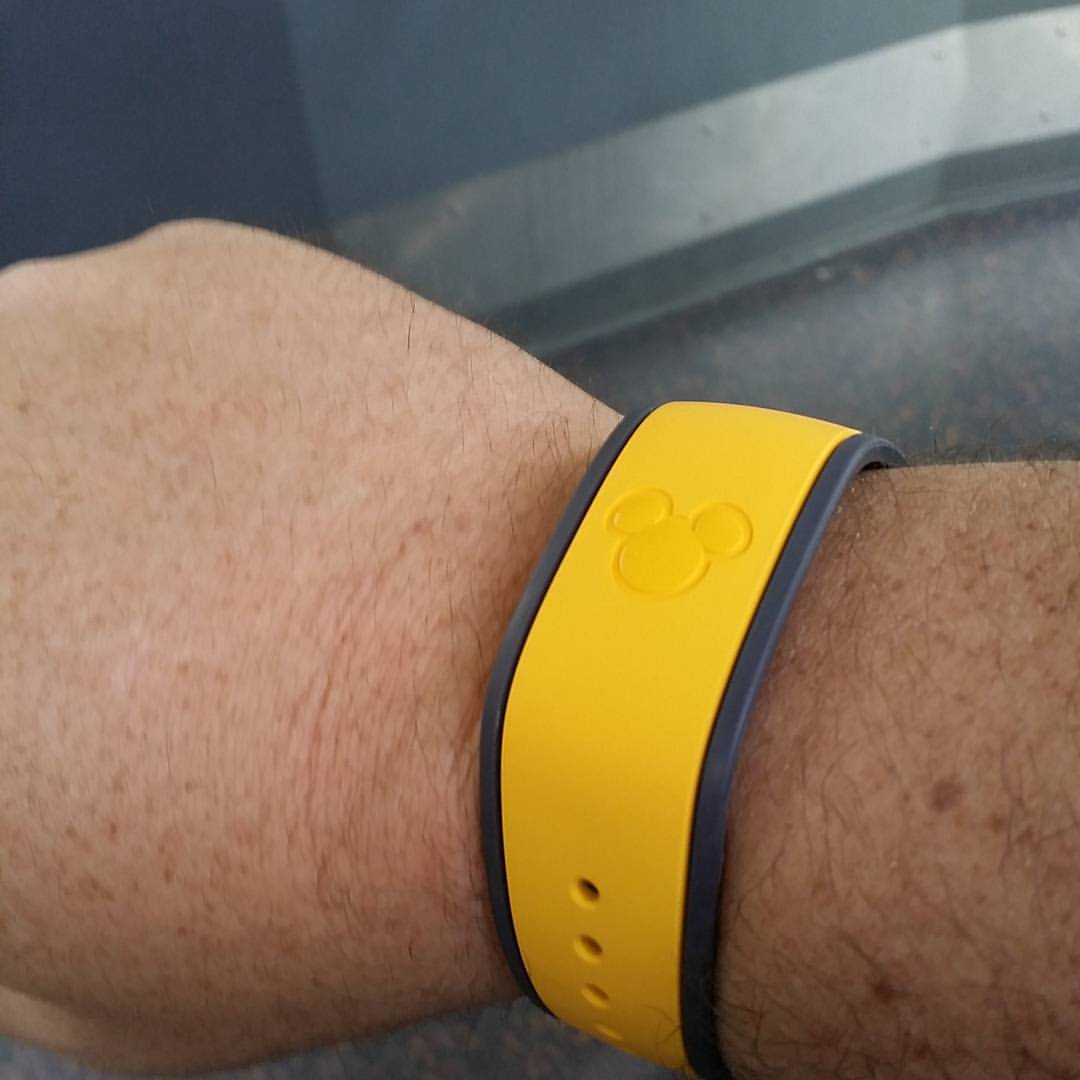
The alternatives are a plastic card ticket, which is free, and a MagicBand+, which is a wristband that does the same job and costs money. Neither needs a phone, which is the point for children. Before your first morning, decide exactly how each person will get through the turnstile: phones for the adults, a card or band for each child. Families who discover at the gate that the nine-year-old’s ticket is on Dad’s phone, while Dad is in the toilets, tend to work this out quickly.
A tip worth knowing: wallet passes generally keep working when the app itself is slow or the park Wi-Fi is congested, because the pass does not need the app open. That makes MagicMobile more dependable at the turnstile than people expect.
Wait times, maps and the My Plans view
The app’s park maps show posted wait times for every ride, show and meet-and-greet times, restaurant locations and toilets, and you can filter them. Posted wait times are a guide, not a promise; they often run a little higher than the actual wait, especially late in the day. Use them for comparisons rather than as a stopwatch.
The My Plans view, streamlined in a January 2026 update, pulls the day’s dining, Lightning Lane return times and mobile orders into a single timeline. Check it at breakfast and again at lunch, because return times you have modified, or rides that have broken down, show up there first. The same update added parking-capacity alerts for Disney Springs, which are genuinely useful on a Saturday evening, and Disney has been testing a search that shows where to find a particular piece of merchandise.
PhotoPass in the app
PhotoPass photographers work at landmarks across the parks. When they take your photo, they scan your MagicBand, MagicMobile pass or a PhotoPass card, and the pictures appear in the app, usually the same day. Ride photos link to your account when you tap in at the rides that take them, and downloading them is included with Memory Maker and with Lightning Lane Multi Pass.
Memory Maker, the download-everything package, breaks even at roughly 11 photos, since single downloads cost about $17–$19, and it covers up to 25 people on your Friends & Family list. Whichever route you take, photos expire 45 days after they are taken, so download everything to your phone or computer as soon as you get home. The meeting Disney characters guide covers where the best character photo spots are.
Resort features: online check-in and your room key
If you are staying at a Disney resort, the app handles online check-in in the days before arrival. You confirm your details and arrival time, and you will get a notification when your room is ready, which on quieter days can be before the official check-in time. With MagicMobile or a MagicBand, your room key is ready too, which means you can go straight to your room and skip the front desk entirely. Our Disney World resorts guide covers what each hotel tier gets you.
What changed in 2026, and what is still coming
Disney has been rebuilding the app in stages. Here is where things stood when we checked in October 2026:
- January 2026: a streamlined My Plans view, Disney Springs parking-capacity alerts, a new transportation alert and a trial of merchandise search.
- May 2026: park reservations, which Annual Passholders still need, moved fully inside the app instead of loading a web page.
- Announced in May 2026, rolling out in phases: a redesigned home screen built around your upcoming trip, a Trip Checklist that reminds you about Lightning Lane windows, dining reservations, online check-in, ticket set-up and adding tickets to your phone’s wallet, a reworked way to share plans with your group, AI-powered search, and Spanish-language support. Disney did not give firm dates, and Walt Disney World is getting the changes before Disneyland.
The Trip Checklist is a welcome addition, especially for first-timers who have never heard of the 60-day morning. But do not rely on a reminder to plan your trip for you. By the time an alert tells you the dining window has opened, the 6am rush is already over.
Disney app not working? Fixes that actually help
The app is busiest, and most likely to stumble, at exactly the moments that matter: 6am on dining mornings, 7am on Lightning Lane mornings and lunchtime in the parks. When it misbehaves, work through these in order:
- Update the app. An out-of-date version is behind a surprising number of errors.
- Force-close it and reopen, then log out and back in if that does not work. Make sure you are logged in to the planner’s account, not your own.
- Switch networks. Toggle between mobile data and Wi-Fi. Disney’s parks have free guest Wi-Fi, but it can struggle at busy moments.
- Try the website. Disney’s website runs on the same systems and is often more stable during booking rushes. Have it open in a browser tab as a back-up on big mornings.
- Check the tickets. If a person cannot be selected, it is almost always because their ticket is not linked, not valid for that date, or not connected to your account.
- Ask a cast member. In the parks, Guest Experience Team members can sort out ticket and Lightning Lane problems. Outside the parks, Disney’s phone lines can help, though not at 7am on a booking morning.
Two precautions take minutes. Screenshot your confirmation numbers for tickets, hotel and dining, so that you have them if the app will not load. And carry a power bank. The app, the maps and the camera together will flatten a phone battery by mid-afternoon, and a dead phone is a dead day. Our Orlando theme park packing list has the rest of the day-bag essentials.
A park day with the app, hour by hour
Features make more sense in sequence. This is how the app gets used across a typical well-run Disney day, using a Hollywood Studios or Magic Kingdom day with Lightning Lane Multi Pass as the example.
| When | What you do in the app |
|---|---|
| The night before | Check My Plans for the day; confirm Lightning Lane return times and try Modify for better ones; check park hours; charge every phone and power bank |
| 7:00am | Join the virtual queue if a ride is using one; look again for improved Lightning Lane times |
| At the gate | Hold phone or watch to the touchpoint (MagicMobile); children use their card or band |
| First hour | Ride the big standby rides while waits are short; keep the app closed and your eyes up |
| After each Lightning Lane | Book the next one straight away, while still walking off the ride |
| 9:30–10:30am | Place the lunch mobile order for an 11am window or a window after 2pm |
| Lunch | Tap “I’m Here, Prepare My Order” once you are a few minutes away |
| Afternoon | Check My Plans; modify Lightning Lane times; look for dining cancellations if you have no dinner booked |
| Dinner | Check in for your table-service reservation through the app where the restaurant offers it |
| Evening | Compare posted waits for a last ride or two; check PhotoPass for the day’s pictures |
Notice how much of that is done in short bursts while walking or queuing. The families who look relaxed at 3pm are rarely the ones who spent the morning staring at their phones; they did the heavy lifting the night before and at 7am, and then used the app in two-minute bursts for the rest of the day.
Habits that save the most time
After all the features, it comes down to a handful of habits. These are the ones we would teach a first-time Disney family:
- One planner, one account. Everything else connects to it.
- Book the next Lightning Lane the moment you use the last one. Do it while you are still walking off the ride.
- Order lunch at breakfast. Mobile order windows fill up; your appetite can wait.
- Check My Plans at every meal. Changes show up there before anywhere else.
- Keep modifying. Lightning Lane return times and dining reservations both improve if you keep looking.
- Do not let the app run your day. It is a tool for the plan, not the plan itself. Some of the best moments at Disney happen when the phone is in a pocket.
If Universal is on the itinerary too, it has its own app, its own Express Pass system and its own rules, and nothing carries over from My Disney Experience. Our Lightning Lane vs Express Pass comparison explains the differences.
Before you fly: the ten-minute app checklist
Run through this list a week or two before you travel, and again the night before your first park day. It takes ten minutes and prevents nearly every problem we hear about at the gates.
- The app is updated and logged in to the planner’s account.
- Every ticket is linked, assigned to the right person and showing as valid for your dates.
- The hotel reservation is linked, if you are staying at a Disney resort.
- Everyone is on the Friends & Family list, and every invitation has been accepted.
- A payment card is saved for Lightning Lane and mobile orders.
- MagicMobile passes are in the adults’ phone wallets, and children have a card ticket or a MagicBand.
- Notifications and location services are switched on.
- Dining reservations are confirmed, and you know which ones need cancelling before their deadline.
- An alarm is set for 6:55am Eastern on your Lightning Lane booking morning, adjusted for your home time zone.
- Screenshots of every confirmation number are saved in your photos.
- A charged power bank is in the day bag.
If you are deciding between MagicMobile and a wristband, our MagicBand+ guide sets them side by side: what MagicBand+ adds for its $34.99 to $54.99, how charging works, why old MagicBands from earlier trips still work, and which members of the family actually benefit from a band.
FAQ: the My Disney Experience app
Is the My Disney Experience app free?
Yes. The app is free to download and use on iPhone and Android. You pay only for what you buy through it: Lightning Lane, mobile orders, Memory Maker and so on.
Do I really need the app for Disney World?
In practice, yes. You can visit with a card ticket and never open it, but you will not be able to buy Lightning Lane, mobile order food, join a virtual queue or see wait times. Most families find the trip much harder without it.
How do I link tickets bought from a third-party seller?
Use the Link Tickets option in the app and enter the confirmation or voucher number the seller sent you, or the ticket ID if you have a physical card. Buy only from Disney or an authorized seller; tickets from unauthorized resale sites may not link at all.
Why can’t I see someone in my party when I book?
Usually because their ticket is not linked or is not valid for that date, or because they have their own account and have not yet accepted your Friends & Family invitation. Sort this out well before a 7am booking morning.
Can I mobile order before I get to the park?
Yes. You can place an order and choose an arrival window at any time, including from your hotel in the morning. Food is only prepared when you tap “I’m Here, Prepare My Order”, which you should do when you are close to the restaurant.
Does the app work without an internet connection?
Not usefully. Most features need a connection. The exception is a MagicMobile pass in your phone’s wallet, which generally works at the turnstile even when the app is struggling. Screenshot your confirmation numbers as a back-up.
Do I use the same app at Universal Orlando?
No. Universal has its own official app with its own tickets, Express Pass and virtual line system. Nothing from My Disney Experience carries over.
Related Orlando Guides
- Disney World Planning Guide: every booking window in order, from a year out to the night before.
- Disney World Lightning Lane Guide: whether Multi Pass, Single Pass and Premier Pass are worth it, park by park.
- Disney World Dining Guide: where to eat once the 60-day morning is done.
- Best Quick-Service Restaurants at Disney World: the counters worth a mobile order.
- Orlando Theme Park Accessibility: DAS registration and how it works in the app.
- Disney World with Toddlers: planning around naps, heights and rider switch.
- First Time at Orlando Theme Parks: the beginner’s orientation.
- Orlando Theme Park Maps: getting your bearings before the app does it for you.
Photo Credits
A yellow MagicBand worn on a wrist: Let the Magic begin -disney -magicbands (22988341716) by bnpositive, CC BY-SA 2.0, via Wikimedia Commons.
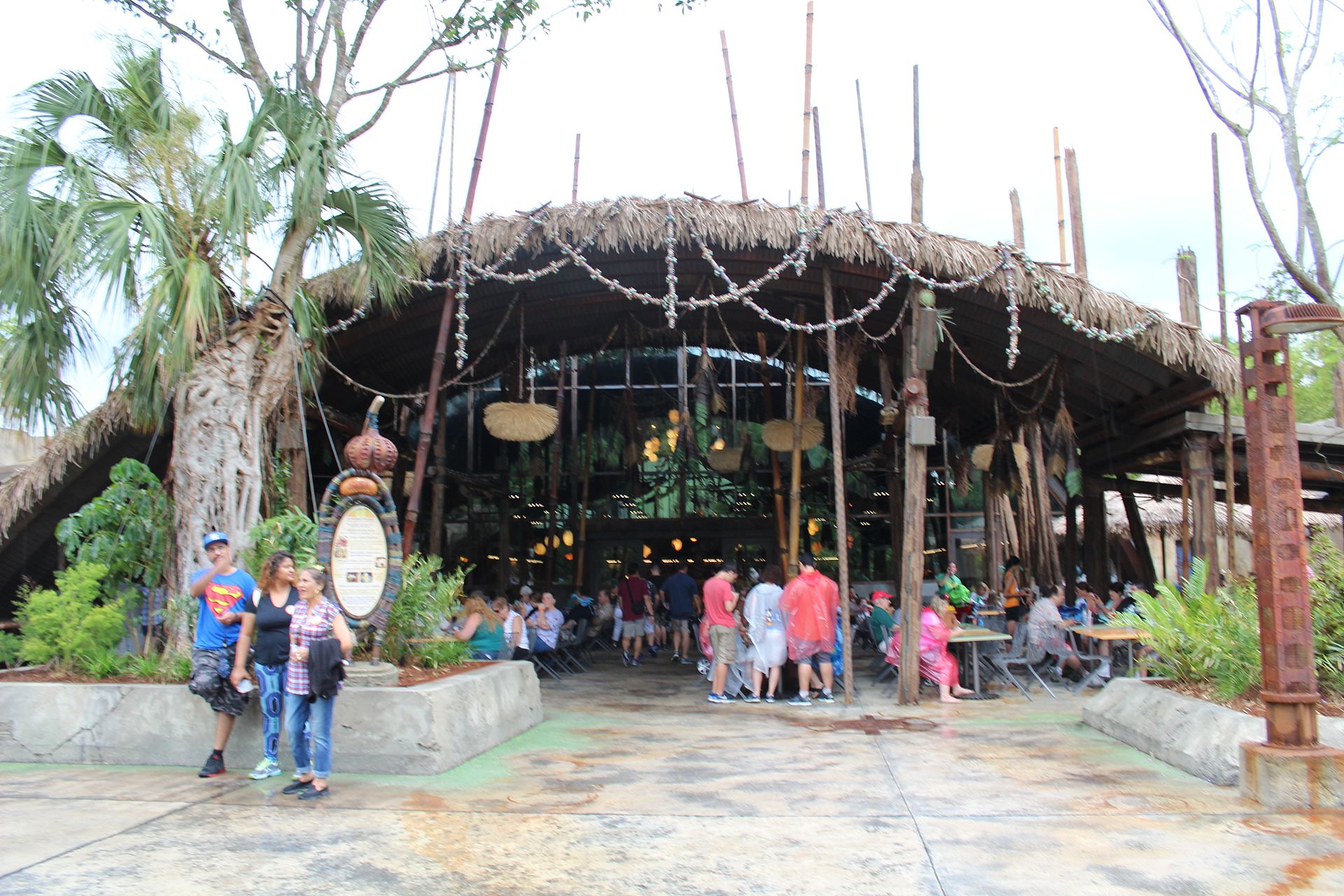
Satu’li Canteen in Pandora at Disney’s Animal Kingdom: Satu’li Canteen (34627159006) by Theme Park Tourist, CC BY 2.0, via Wikimedia Commons.
Remaining photography from the Theme Parks Guide library.