Scroll through the photos from almost any family holiday and you will notice that someone is missing. It is whoever was holding the camera. At Walt Disney World that person is usually a parent, and the result is a few hundred pictures of the rest of the family in front of castles, coasters and characters, with the photographer appearing only as a shadow on the pavement. That, more than any feature list, is what Disney is really selling with PhotoPass: a professional who puts the whole family in the frame. So, is Disney Memory Maker worth it? For a lot of families, yes, and the maths is surprisingly simple. For plenty of others it is an easy $185 to save.
This guide explains how Disney PhotoPass works, what you get for free, what Memory Maker and the One-Day version cost, how the overlap with Lightning Lane Multi Pass changes the sums, and exactly where the break-even point sits. Prices were checked in early October 2026. They are the current 2026 rates; if you are travelling in 2027, check for an increase before you budget, because Disney does adjust them.
PhotoPass and Memory Maker prices at a glance
| Option | Price (checked October 2026) | What you get |
|---|---|---|
| Viewing PhotoPass photos | Free | Every photographer and ride photo linked to your account, viewable in the app |
| Individual digital downloads | About $17–$19 each | One photo, full resolution |
| Memory Maker, bought at least 3 days ahead | $185 | All your PhotoPass photos and videos for the trip |
| Memory Maker, bought later | $210 | The same, bought during or after your trip |
| One-Day Memory Maker | $85 | All your PhotoPass photos and videos from a single day |
| Lightning Lane Multi Pass | About $15–$45 per person per day | Includes that day’s attraction photo downloads and PhotoPass Lenses |
| Photo expiry | 45 days from capture | One 15-day extension allowed per calendar year |
Two numbers do most of the work. At $17–$19 a download, the $185 advance Memory Maker pays for itself at roughly 10 to 11 photos, and the $85 One-Day version pays for itself at five. Everything else in this guide is about working out which side of those lines your family will land on.
How Disney PhotoPass works
PhotoPass is the umbrella name for every professional photo Disney takes of you in the parks. You do not need to sign up for anything to use it; you just need a way for the photographers and ride cameras to know who you are.
The photographers
Disney PhotoPass photographers work at more than 100 locations across the four theme parks: the big landmarks such as Cinderella Castle, Spaceship Earth, the Tree of Life and Sunset Boulevard in Hollywood Studios, plus many character meet-and-greets. They take a few shots of your group, then scan your MagicBand, your MagicMobile pass or a PhotoPass card, and the photos appear in the My Disney Experience app, usually within minutes.
The photographers are also very good at what they do. They know the angles, they know where the light falls at each time of day, and most of them have a few tricks up their sleeve. Many will happily take a photo on your own phone as well, free of charge, which is one of the best-value things in the whole resort.
Magic Shots
Magic Shots are photos with a digital effect added afterwards: a character perched on your hand, a sprinkle of pixie dust, something peering over your shoulder. The photographer will pose you for them, and they can take up to 48 hours to appear in your account. Children tend to love them. Ask for one at most photo spots; the answer is usually yes.
Ride photos and videos
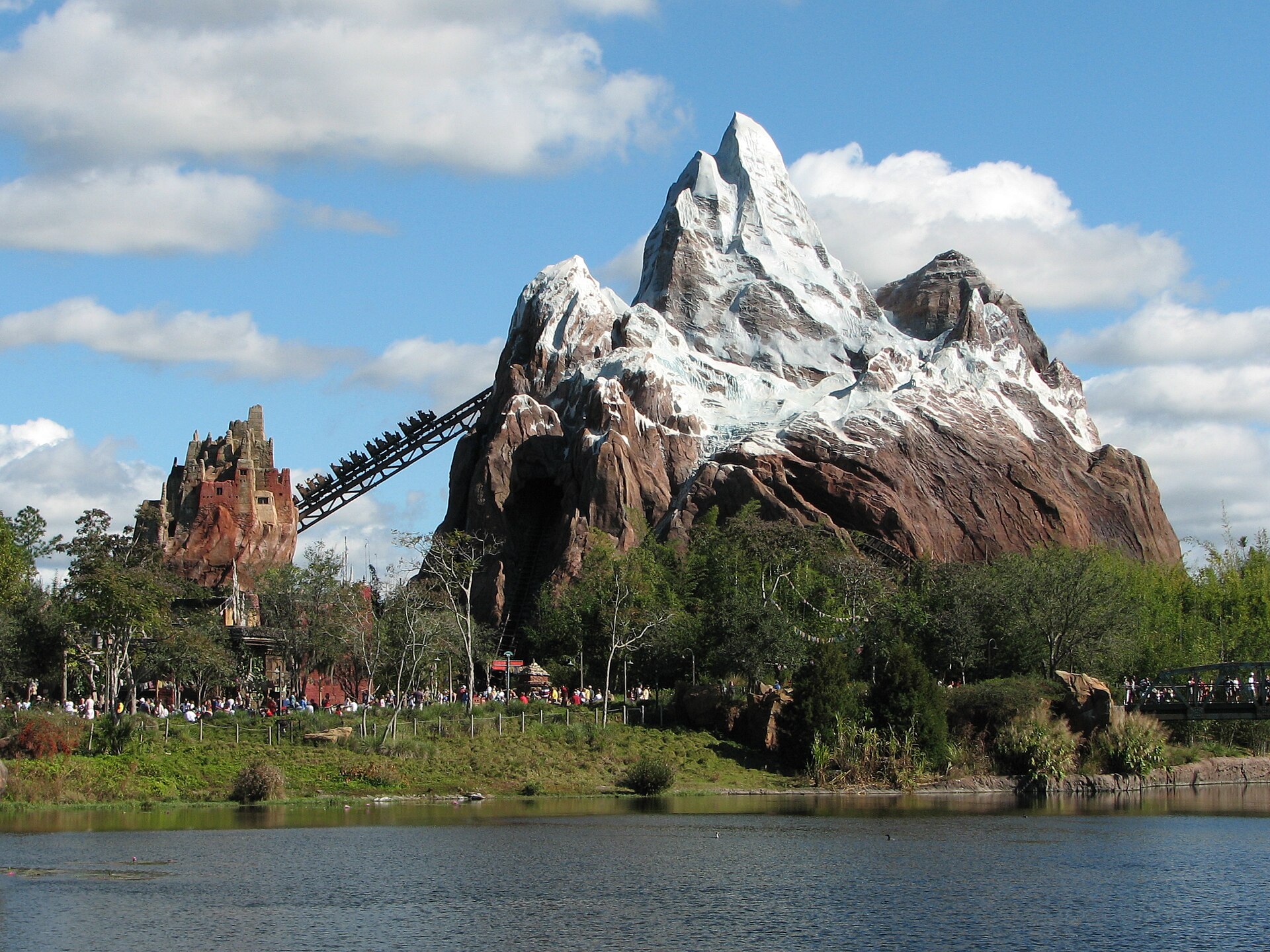
About 15 attractions take on-ride photos or videos, usually at the most dramatic moment: the drop on Tiana’s Bayou Adventure, the plunge on Expedition Everest, the doors opening on The Twilight Zone Tower of Terror. You link them by tapping your MagicBand or phone at the ride’s touchpoint. Without Memory Maker or Lightning Lane Multi Pass, you can still view and buy them individually.
PhotoPass Lenses
PhotoPass Lenses are augmented-reality effects you use in the app with your own phone camera: characters and animations layered over the real scene. They come with Lightning Lane Multi Pass. They are a fun extra rather than a reason to buy anything, but worth a try in a queue.
What is free, and what you pay for
It is easy to assume PhotoPass costs money from the start. It does not. The free part is genuinely useful:
- Free: having your photo taken by any PhotoPass photographer, as often as you like; viewing every photo in the app; having the photographer take a picture on your own phone; and screenshots of the low-resolution previews, which are watermarked and not something you would print.
- Paid: downloading full-resolution photos and videos, either one at a time at about $17–$19 each or all together with Memory Maker.
- Included elsewhere: ride photos for any day on which you bought Lightning Lane Multi Pass.
Because viewing is free and Memory Maker can be bought after the photos are taken, there is no penalty for using PhotoPass all the way through the trip and deciding later. The only cost of waiting is the $25 difference between the advance and later prices.
The break-even maths
Memory Maker covers everyone whose photos are linked to your account, so the size of your family matters less than how many photo moments you will actually have. Here is how that works out for some typical trips. The download counts are our estimates of what each kind of family tends to end up wanting, so adjust them to suit you.
| Trip | Likely downloads | Cost at $17–$19 each | Best option |
|---|---|---|---|
| Couple, four park days, no character meals, little interest in posing | 5–8 | $85–$150 | Buy individually |
| Family of four, six days, two character meals, photographer stops most days | 30+ | $510+ | Memory Maker in advance ($185) |
| Family of four, five days, Lightning Lane Multi Pass every day | 15–20 non-ride photos | $255–$380 | Memory Maker, though the ride-photo part is already covered |
| One big Magic Kingdom day with a character breakfast | 6–10 from that day | $100–$190 | One-Day Memory Maker ($85) |
| Teenagers and adults who would rather be riding | 2–4 | $35–$75 | Buy individually, or use your phone |
The lesson in that table is that the break-even is not really about money; it is about your family’s habits. A family with young children who stop at every photographer and meet characters most days will blow through 11 downloads by lunchtime on day two. A couple who walk past the photographers on the way to the next coaster may not reach it all week.
How fast the photos add up: a Magic Kingdom day
It is hard to judge in advance how many photos you will want, so here is a realistic count for a family of four with two young children on a single Magic Kingdom day. Nothing about it is unusual; it is just a normal day with the photographers used whenever they are handy.
- 8:10am: a family shot on Main Street, U.S.A. with the castle behind, taken while the street is still quiet. Two keepers.
- 9:45am: a character meet-and-greet in Fantasyland, where a photographer takes a run of shots as the children hand over autograph books. Three keepers, including one of the smallest child mid-hug.
- 11:30am: the drop photo on Tiana’s Bayou Adventure. One keeper, mainly for the expression on Dad’s face.
- 2pm: a Magic Shot in the castle forecourt, with a little digital character sitting in a child’s hand. One keeper.
- 4:30pm: a second character meet after the midday break. Two keepers.
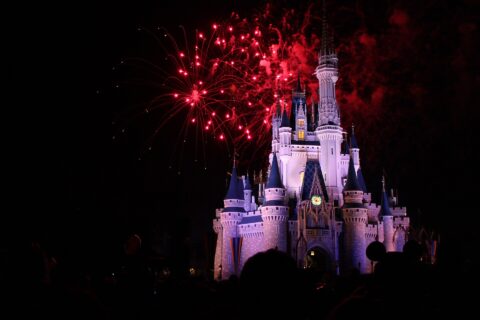
- 7:45pm: the castle lit up at dusk, with the whole family, including the parent who took every other photo of the trip. Two keepers.
That is eleven photos the family would genuinely want, from a single day, without trying very hard. On the One-Day Memory Maker at $85 it works out at under $8 a photo; bought individually it would cost about $190. Spread over a five- or six-day trip with a couple of character meals, the full Memory Maker is clearly the better buy for this family. For the best places to meet characters, see our meeting Disney characters guide.
When Memory Maker is worth it
- Families with young children. Character meet-and-greets, character meals and castle photos add up fast, and these are the trips people want the photos from most.
- Trips of five days or more. The longer the trip, the more photographer stops and ride photos you accumulate, and the cost per photo falls quickly.
- Special occasions. Honeymoons, milestone birthdays and first visits are the trips where a properly composed photo matters more.
- Families where one parent is always behind the camera. This is the most underrated reason of all. Memory Maker is the cheapest way to have photos of that parent with the children.
- People who will actually stop. The value only appears if you use the photographers. If you will, it is good value. If you will not, it is not.
When it is not worth it
- Short trips. On a two- or three-day trip, the One-Day Memory Maker on your biggest photo day usually beats the full version.
- Adults focused on rides. If your trip is about coasters rather than characters, you are unlikely to stop at enough photographers to justify $185.
- Families buying Multi Pass daily who skip characters. Ride photos are already covered by Lightning Lane, so Memory Maker’s value rests on photographer photos alone.
- Anyone who will not download in time. Photos expire 45 days after they are taken. If you buy Memory Maker and forget to download, you have paid $185 for nothing.
- Confident phone photographers travelling as a pair. Take turns, ask a photographer to use your phone, and keep the money.

What else $185 could buy
Every Disney add-on competes for the same budget, so it is worth asking what Memory Maker is up against. At 2026 prices, $185 would buy Lightning Lane Multi Pass for four people for a day at most parks on most dates, or cover a good part of a character meal for a family. If your budget only stretches to one extra, the question is which one your family will remember.
For families with young children, the honest answer is often the photos. A shorter queue for a ride is forgotten by the next morning; a photograph of a four-year-old meeting a princess is not. For families of teenagers, or couples who came for the coasters, the Lightning Lane day probably wins. There is no wrong answer, but there is a wrong process, which is buying both by default and wondering where the money went. Our Disney World on a budget guide helps you rank the extras against each other.
Buy in advance, wait and see, or go for One-Day?
There are three ways to buy, and each suits a different kind of family.
Buy in advance for $185
If you already know you will want the photos, buy at least three days before your trip and save $25. Families with young children planning character meals almost always fall into this group. You commit before you know how many photos you will get, but for these families the answer is reliably “plenty”.
Wait and see for $210
Because photos sit in your account for 45 days and viewing is free, you can use PhotoPass all trip and decide at the end. The extra $25 is effectively the price of certainty: you will know exactly how many photos you have before you pay. For couples, groups of adults and families who are genuinely unsure, it is often worth it.
One-Day Memory Maker for $85
One-Day covers every PhotoPass photo and video from a single day, which suits short trips or longer trips with one obvious photo day: the Magic Kingdom day with the character breakfast, the birthday, the day you meet the princesses. At five downloads it has paid for itself. Plan that day around the photo opportunities, and it is very good value.
Lightning Lane Multi Pass and the photo overlap
Since Disney’s Lightning Lane changes, Multi Pass includes the attraction photo downloads from the day you bought it. That changes the Memory Maker sums for families who buy Multi Pass on most days: the ride photos, which used to be one of Memory Maker’s selling points, are already paid for.
It does not make Memory Maker pointless. Ride photos are rarely the pictures people treasure most; the photographer shots at the castle and with the characters are. But it does mean you should count only your likely photographer and character photos when you work out whether Memory Maker will pay off. If that number is below about 11, buy them individually. Our Disney World Lightning Lane guide covers whether Multi Pass is worth it in the first place.
What you actually get: files, videos and prints
Memory Maker is a digital product. What you get are full-resolution downloads of your PhotoPass photos, plus the ride and attraction videos where they exist, which you save from the app or the PhotoPass website to your own devices. Once they are downloaded, they are yours to keep, print and share with family.
Physical products are a separate purchase. Prints, photo books, canvases and the like are sold through PhotoPass at extra cost, and Memory Maker does not include them. In practice, most families download everything and print the best few themselves, which is far cheaper. If you want a framed souvenir to take home on the day, our guide to Orlando theme park souvenirs covers what is worth buying in the shops.
The app also lets you add borders and decorations to photos before you download them. It is a matter of taste. Save a plain version of every photo you care about as well, because a cartoon frame that looks charming at seven looks rather different at seventeen.
How to get the most out of PhotoPass
- Link everyone first. Put your whole party on your Friends & Family list in the app and link tickets before you travel, so every photo lands in the same account. Our My Disney Experience app guide shows how.
- Stop at photographers early and late. The queues for castle photos are short at opening and at dusk, and the light is better too.
- Ask for Magic Shots. Most photographers will do one or two if you ask.
- Use character meals. Photographers often work the room at character dining, and you get relaxed photos without a queue. See our character dining guide.
- Look at the camera on the ride. On the big drops, the camera is usually just before or at the steepest point. Keep your eyes open and your hands up.
- Ask for a phone photo too. Even with Memory Maker, a few quick phone shots from the photographer give you something to share that evening.
- Download as soon as you are home. The 45-day clock starts when each photo is taken, not when the trip ends. Download everything at full resolution and back it up in two places.
The classic photo spots, park by park
PhotoPass photographers move around through the day, and the busiest landmarks usually have one or more stationed nearby. These are the places where most families get their best pictures, and the times that tend to work.
| Park | Classic spots | When to go |
|---|---|---|
| Magic Kingdom | Main Street, U.S.A. and the castle hub, with Cinderella Castle behind; character meet-and-greets | Straight after opening, or at dusk when the castle lights come on |
| EPCOT | Spaceship Earth from the entrance plaza; the World Showcase lagoon | Morning for Spaceship Earth; golden hour around the lagoon |
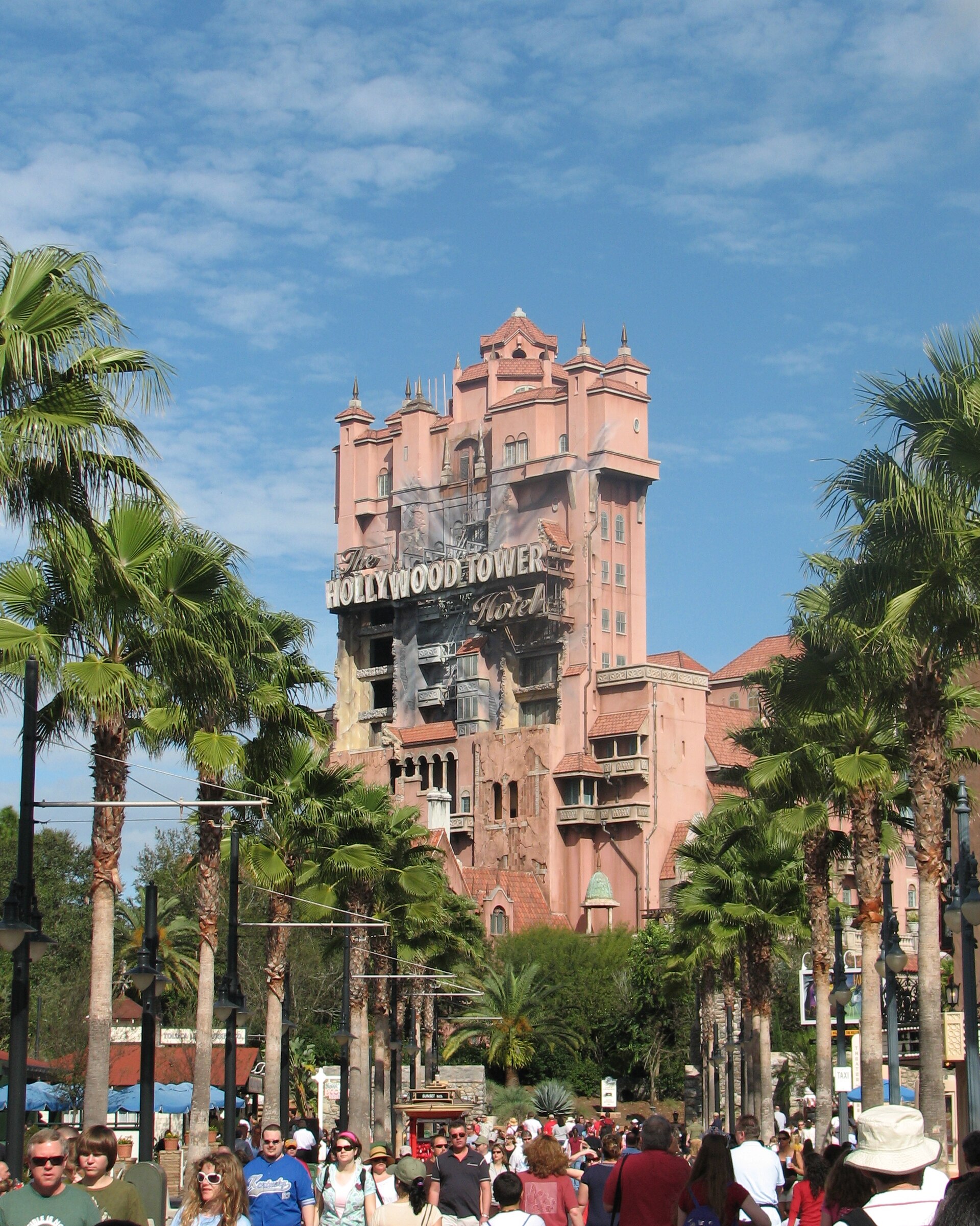
| Hollywood Studios | Hollywood Boulevard; Sunset Boulevard with the Hollywood Tower Hotel; Star Wars: Galaxy’s Edge | Early, before the boulevards fill |
| Animal Kingdom | The Tree of Life from the bridges around Discovery Island; Pandora’s floating mountains | Morning for the Tree of Life; Pandora again after dark if the park is open late |
One practical tip: the photo queue at the castle can be long in the middle of the day, but it often dwindles to almost nothing during the parade or just before the fireworks, when the crowd is busy finding a viewing spot. A quick family photo at that moment costs you very little.
Birthdays, honeymoons and first visits
Celebration trips are where PhotoPass shines brightest. Disney hands out free celebration badges at Guest Relations and in many shops, for birthdays, anniversaries, honeymoons, first visits and general celebrating, and wearing one tends to make cast members, photographers included, go a little further. You may get a special pose, a Magic Shot, or simply a few more frames than usual. None of it is guaranteed, but it happens often enough to be worth the badge.
If the trip is built around a single occasion, plan the photo moments the way you would plan a dinner reservation. Put the castle shot at dusk on the birthday itself, book the character meal for the morning after, and consider One-Day Memory Maker for that day if the full version does not add up for the rest of the trip. It is the day you will look back at most.
Common PhotoPass problems, and how to fix them
- Photos are missing from the app. Most appear within minutes, but Magic Shots can take up to 48 hours. If ordinary photos are still missing after a few hours, check that the MagicBand, MagicMobile pass or card the photographer scanned is linked to your account.
- Ride photos did not link. You usually need to tap at the ride’s touchpoint to claim them. If you forgot, ask at a PhotoPass service location in the park on the same day.
- Photos landed in a relative’s account. This happens when someone else’s band or phone was scanned. Linking everyone through Friends & Family before the trip prevents it.
- You lost your PhotoPass card. Any photographer can give you a new one; link it in the app straight away.
- Photos are about to expire. Apply your one 15-day extension for the calendar year, then download everything you want to keep.
When in doubt, ask a photographer. They deal with these questions all day and can usually sort out a linking problem on the spot.
Doing it yourself instead
If you decide against Memory Maker, you can still come home with great photos. A few things help:
- Use the photographers anyway. Ask them to take a photo on your phone. It costs nothing, and they know the best angles.
- Leave the selfie stick at home. Selfie sticks are not allowed in Walt Disney World’s parks, so rely on a photographer or another guest for group shots.
- Go early or late for landmark shots. The castle, Spaceship Earth and the Tree of Life are easiest to photograph with fewer people in the frame first thing in the morning.
- Take turns. Make a point of swapping the phone so that the usual photographer appears in at least some of the pictures.
A selection of individual downloads, say five or six of the best photographer shots and ride photos, can be the right compromise for families who want a few professional pictures without the full package.
Our verdict
Memory Maker is good value for families with young children on trips of five days or more who will stop at photographers and do character meals. Buy it in advance and use it relentlessly. It is poor value for couples and adults focused on rides, and for anyone who will not download their photos in time. For short trips and for families who are unsure, the One-Day option or buying individual photos at the end is usually the smarter choice.
Whatever you decide, use the photographers. Even if you never pay a cent, the photos they take on your own phone are some of the best you will bring home. For the rest of the trip’s add-ons and whether they earn their price, see our Disney World planning guide.
FAQ: Disney PhotoPass and Memory Maker
Is Disney Memory Maker worth it?
For families with young children on trips of five days or more, usually yes. At $185 bought in advance and about $17–$19 per individual download, it pays for itself at roughly 10 to 11 photos. For couples and ride-focused adults on shorter trips, it is often not worth it.
How much is Memory Maker in 2026?
$185 if bought at least three days before your trip, $210 if bought later, and $85 for One-Day Memory Maker. Check for changes if you are travelling in 2027.
Can I buy Memory Maker after my trip?
Yes, at the higher price, as long as your photos have not expired. Photos expire 45 days after they are taken, with one 15-day extension allowed per calendar year.
Does Lightning Lane Multi Pass include photos?
Yes. Lightning Lane Multi Pass includes attraction photo downloads from the day it was bought, along with PhotoPass Lenses. It does not include photographer photos, which you still need to buy individually or with Memory Maker.
Does Memory Maker cover my whole family?
Yes. Memory Maker covers all the PhotoPass photos linked to your account, so link everyone in your party through your Friends & Family list.
How long do PhotoPass photos take to appear?
Most appear in the app within minutes. Magic Shots, which have digital effects added, can take up to 48 hours.
Is One-Day Memory Maker worth it?
It is good value if you have one big photo day, such as a Magic Kingdom day with a character breakfast. At $85 it pays for itself at about five downloads.
Does Memory Maker include ride videos?
Yes. Memory Maker includes PhotoPass videos as well as photos, including the attraction videos captured on the rides that offer them.
Does Memory Maker work at Universal Orlando?
No. PhotoPass and Memory Maker are Walt Disney World products and cover only Disney’s parks. Universal runs its own separate photo service.
Related Orlando Guides
- Disney World Planning Guide: every booking window and add-on in context.
- My Disney Experience App Guide: where your PhotoPass photos live.
- Meeting Disney Characters: where the best character photo opportunities are.
- Disney World Character Dining: relaxed photos without the queue.
- Disney World Lightning Lane Guide: the Multi Pass that now includes ride photos.
- Orlando Theme Park Souvenirs: what is worth bringing home, and what is not.
- Disney World on a Budget: where to spend and where to save.
Photo Credits
Expedition Everest at Disney’s Animal Kingdom: Expedition Everest by Benjamin D. Esham (bdesham), CC BY-SA 4.0, via Wikimedia Commons.
The Hollywood Tower Hotel at Hollywood Studios: Hollywood Tower Hotel by Benjamin D. Esham (bdesham), CC BY-SA 4.0, via Wikimedia Commons.
Remaining photography from the Theme Parks Guide library.
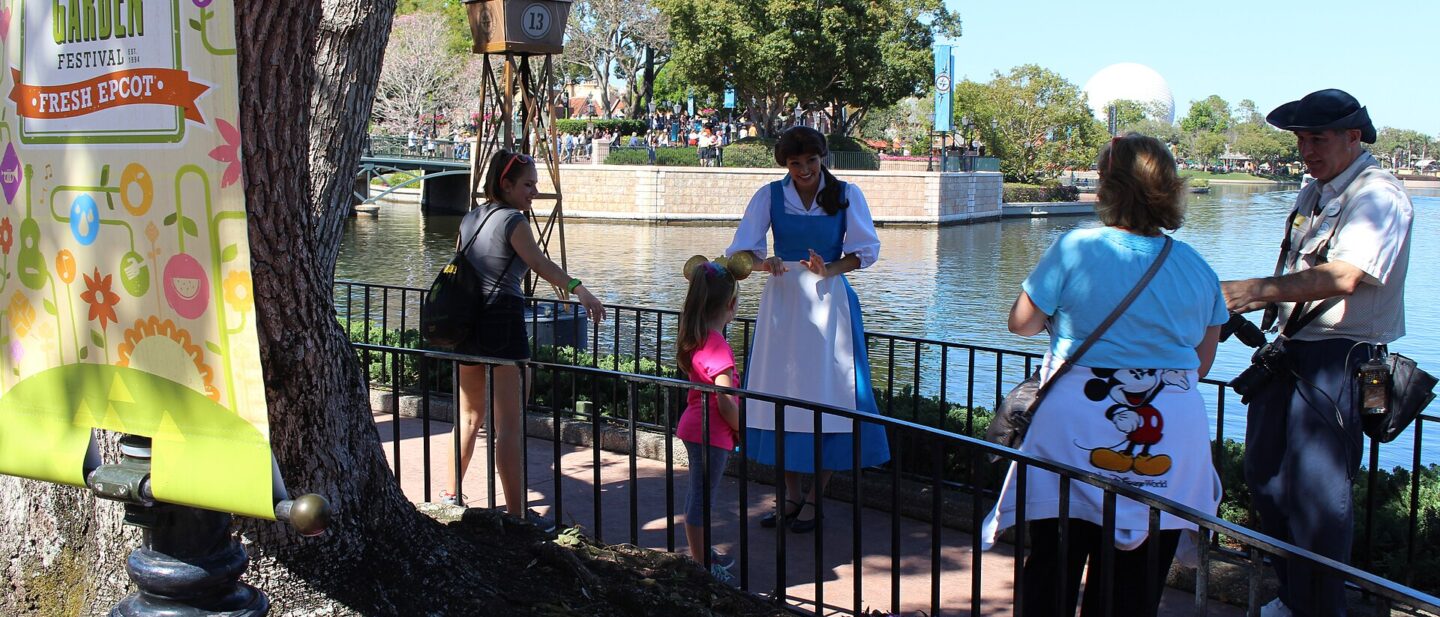
Meeting Belle at EPCOT’s France pavilion: World Showcase Belle appearance by Michael Rivera, CC BY-SA 4.0, via Wikimedia Commons.