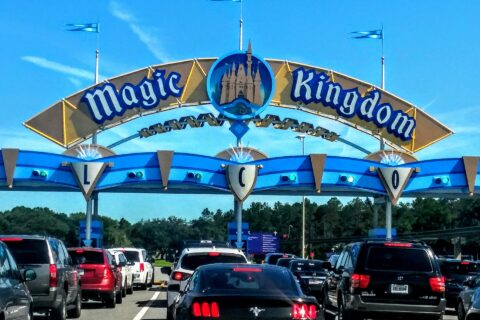
Watch the turnstiles at Magic Kingdom for five minutes and you will see three kinds of wrist go past. There are bare wrists attached to hands holding phones. There are wrists wearing a plain coloured band. And every so often there is a wrist whose band suddenly lights up in a ripple of colour, followed by a child shrieking with delight, because the band just did something it has been promising to do since it arrived in the post three weeks ago. All three get into the park in exactly the same amount of time. This MagicBand+ guide is about the difference between them, what you are actually paying for when you buy a band, and whether your family needs one at all.
The short version: MagicMobile on your phone or watch does everything essential for free, a MagicBand+ adds lights, vibrations and games that children tend to love, and an old MagicBand from a previous trip still works perfectly well for the basics. Below we go through each in turn, with prices checked in early October 2026, the practicalities of charging and set-up, and an honest view on who should spend the money.
MagicBand+, MagicMobile and the alternatives at a glance
| Option | Cost (checked October 2026) | Entry, Lightning Lane and PhotoPass | Disney resort room key | Lights, vibration and games | Needs charging? |
|---|---|---|---|---|---|
| MagicMobile on a phone | Free | Yes | Yes | No | Your phone does |
| MagicMobile on an Apple Watch | Free | Yes | Yes | No | Your watch does |
| MagicBand+ | $34.99–$54.99 (limited editions more) | Yes | Yes | Yes | Yes, every night or two |
| Original MagicBand from an earlier trip | Already paid for | Yes | Yes | No | No |
| Plastic card | Free | Yes | Resort guests can ask for a card that doubles as a key | No | No |
Read across that table and one thing stands out: the column that costs money is the only one that adds anything you cannot get for free, and what it adds is fun rather than function. That is not a criticism. Fun is the whole point of a Disney holiday. But it does mean the decision is about who in your family will enjoy the extras, not about whether you need a band to get around.
From MagicBand to MagicBand+ to MagicMobile
It helps to know how we got here, because it explains why so many families turn up with a drawer full of old bands. Disney introduced the original MagicBand in 2013 as part of its MyMagic+ system, and for years every guest at a Disney resort hotel got one free with their stay. Those bands had no battery and no lights; they were simply a ticket, room key and payment method you wore on your wrist. Many families collected a new set every trip.
Two changes followed. In 2021 Disney stopped giving bands away with resort stays and introduced MagicMobile, which moved the same functions onto phones and watches for free. Then in July 2022 MagicBand+ arrived at Walt Disney World, adding the battery, lights, vibration and motion sensor that make the interactive features possible. The old bands were never switched off, which is why they still work today, and why the question for most families is not “which band do we need?” but “do we need to buy anything at all?”
What a MagicBand actually does
Every option above, free or paid, does the same core jobs. Walt Disney World runs on a network of touchpoints, the round readers with the Mickey head outline, and anything linked to your ticket can be tapped against them:
- Park entry. Tap at the turnstile and you are in.
- Lightning Lane. Tap at the Lightning Lane entrance during your return window.
- PhotoPass. Photographers scan it to link their photos to your account, and you tap at ride touchpoints to claim ride photos.
- Your room door, if you are staying at a Disney resort.
- Paying for things, if you are a Disney resort guest with a card linked to your room account and a PIN set up.
That last one is worth a moment’s thought. Being able to buy lunch by tapping a wristband is very convenient. It is also very easy, which is rather the idea. Set the PIN, and keep an eye on the running total in the app.
MagicMobile: the free option most adults should use
MagicMobile puts a pass for your ticket into your phone’s wallet app: Apple Wallet on iPhone and Apple Watch, or Google Wallet on Android. You add it from the My Disney Experience app before you travel, and from then on you hold your phone or watch near a touchpoint, just as you would pay for a coffee. You do not need to open the app, and it costs nothing.
For most adults it is the obvious choice. You are carrying a phone anyway, the pass works even when the app is being slow, and there is nothing extra to buy, pack or lose. The Apple Watch version is the best of both worlds: it lives on your wrist like a band, so you never have to dig your phone out at a turnstile, and it costs nothing more if you already own the watch.
The limitations are practical rather than technical:
- Children do not usually have phones, or should not be carrying them around a theme park. Each child needs their own way through the turnstile.
- You have to take your phone out at every tap point, which is a minor nuisance on water rides and a slightly bigger one when you are juggling a pushchair.
- Your phone is already doing a lot. The app, the maps, the camera and the pass all draw on the same battery. A power bank solves it, but you need to remember it.
Our My Disney Experience app guide explains how to add MagicMobile passes and how the rest of the app works.
MagicBand+: what you get for the money
MagicBand+ is the current generation of Disney’s wristband. It does everything the original band did, and adds a battery, lights, vibration and a motion sensor, which let it react to things around the parks. Prices ran from $34.99 to $54.99 on shopDisney in 2026, with standard designs at $34.99 to $44.99 in the parks and at Disney Springs, and some limited editions costing more.
The interactive features
- Nighttime spectaculars. Disney has built MagicBand+ effects into some of its night-time shows, so bands across the crowd glow and pulse in time with the music. Watching a whole crowd of wrists light up together is surprisingly lovely.
- Beacons of Magic. At special spots in the parks, raising your arm in a particular gesture triggers a light-and-vibration effect on the band.
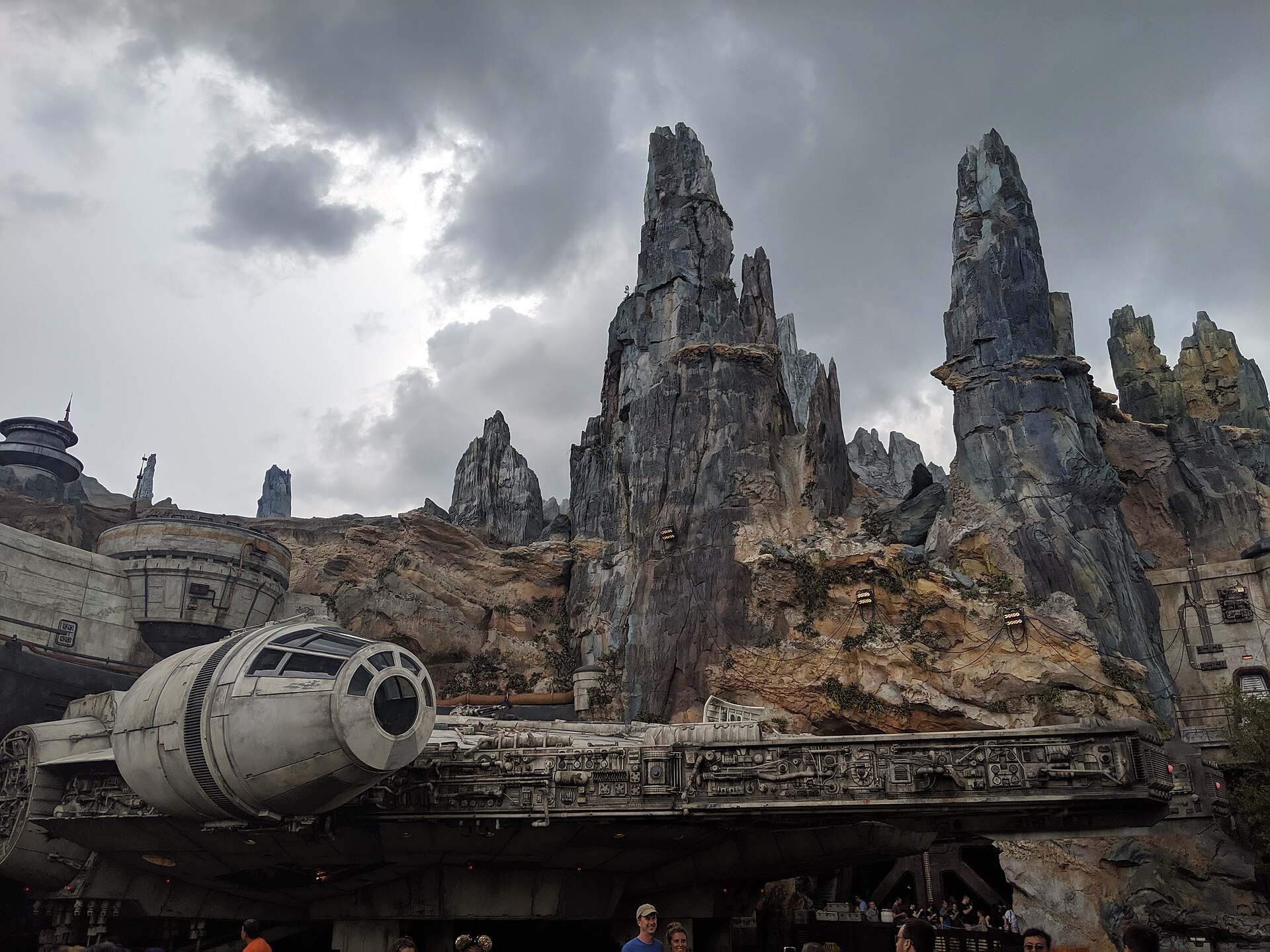
- Batuu Bounty Hunters. In Star Wars: Galaxy’s Edge at Hollywood Studios, the band becomes part of a game in which you hunt for virtual bounties around the land, using the Play Disney Parks app alongside it. It is the most involved of the extras, and the one children talk about.
- Little moments. Bands light up at various points around the parks, which is half the fun for a young child who never knows quite when it will happen.
Battery and charging
Unlike the original bands, MagicBand+ has a rechargeable battery, and this is the part people forget. A charge lasts somewhere between one and three days depending on how much the interactive features are used, and Disney recommends charging every night. A short USB charging cable comes in the box, and spares are sold online and in the parks. Batuu Bounty Hunters is by far the biggest drain; a few hours of bounty hunting can empty a band on its own.
The good news is that a flat MagicBand+ is not a disaster. The core functions, park entry, Lightning Lane, PhotoPass and your room key, carry on working when the battery is empty. You only lose the lights and vibrations. So a family who forgets to charge the bands one night has a slightly less sparkly day, not a ruined one.
Where else it works
MagicBand+ also works at Disneyland Resort in California, which makes it better value for families who visit both coasts or plan several trips. It does not work at Universal Orlando or any other Orlando park; those have their own systems.
At the water parks
One practical point in the band’s favour: at Typhoon Lagoon and Blizzard Beach, and on the wetter rides in the theme parks, a band on your wrist is far easier to live with than a phone you are trying to keep dry. Plenty of families leave their phones in a locker or a zipped bag on water-park days and let the bands do the work. If everyone in your family is on MagicMobile, plan how you will get back in if you leave and return, and keep at least one phone safe and dry. Our Orlando water park tips cover lockers and the rest.

Original MagicBands: still worth packing
If you have an original MagicBand from a trip before MagicBand+ arrived, bring it. Older bands still work at Walt Disney World for all the core functions: park entry, Lightning Lane, PhotoPass and room keys. They never need charging, which some families consider a genuine advantage. What they cannot do is any of the interactive extras, because they have no battery or lights.
Link an old band in the app before you travel and check that it shows as active. If it has been in a drawer for a few years, check it for cracks as well; a band that splits on day two is a nuisance rather than a crisis, because the app and a card will get you through, but it is easier to find out at home.
Who should buy a MagicBand+, and who should not
This is where we are honest. A MagicBand+ is a nice thing to have, but for many visitors it is not a necessary one.
Probably worth it
- Children roughly four to ten. This is the age group the interactive features were built for. The band lighting up during the fireworks, the bounty hunting in Galaxy’s Edge and the random moments around the parks are genuinely magical at that age.
- Families who do not want children carrying phones. A band gives each child their own ticket, room key and PhotoPass link on their wrist.
- Repeat visitors. A band bought for one trip works on the next, and at Disneyland too, so the cost per trip keeps falling.
- Anyone who wants a souvenir that does something. As souvenirs go, $35 for something you will use all week and keep afterwards compares well with a lot of what is on sale in the shops.
Probably not worth it
- Adults with a smartphone, and especially adults with an Apple Watch. MagicMobile does everything you need.
- Teenagers who would rather be on their phones anyway. The interactive features are aimed at younger children.
- Families with an old MagicBand for everyone. Unless the interactive extras matter to you, the old bands do the job.
- Babies and toddlers under three. Children under three do not need a park ticket, so they do not need anything to tap.
What it costs a family of four
| Approach | Typical cost | Verdict |
|---|---|---|
| Everyone on MagicMobile, children on plastic cards | Free | Perfectly functional, if a little dull for young children |
| Adults on MagicMobile, MagicBand+ for two children | About $70–$110 | The sweet spot for most families |
| MagicBand+ for all four | About $140–$220 | Only if the adults really want them |
| Old MagicBands for everyone | Free if you already have them | Works fine; no interactive extras |
For context, $70 to $110 is about what a family of four pays for a Lightning Lane Single Pass on one headline ride, or a modest lunch. Our Disney World on a budget guide sets the extras against each other, and the Orlando theme park souvenirs guide covers what else is worth buying to bring home.
A worked example: one family, three different choices
Here is how a typical mixed-age family might sort it out. Two parents, a nine-year-old, a six-year-old and a two-year-old are spending five days at Walt Disney World and staying at a Disney resort.
- Dad has an Apple Watch, so his MagicMobile pass lives on his wrist. Nothing to buy.
- Mum uses MagicMobile on her phone, and carries the power bank because her phone is also running the app for everyone.
- The nine-year-old gets a MagicBand+ in a Star Wars design, bought from shopDisney three weeks before the trip, with Batuu Bounty Hunters firmly on the agenda.
- The six-year-old gets a MagicBand+ too, because the alternative is a week of protest, and the bands lighting up together during the fireworks turns out to be one of the moments of the trip.
- The two-year-old needs nothing. Children under three do not need a park ticket, so there is nothing to tap.
Total spend on wearables: about $80. Every person can get through every turnstile, the bands are charged each night next to the phones, and the room door opens for any of the four who are tall enough to reach the handle.
How to set up a MagicBand+ or MagicMobile
Where to buy, and when
You can buy MagicBand+ online from shopDisney before you travel, or in the parks, at Disney Springs and in Disney resort shops once you arrive. Ordering online lets you choose from the full range of designs and set the band up at home; allow plenty of time for delivery, particularly if you live outside the United States. Buying on arrival is perfectly fine too, and many families pick up bands at their resort shop on the first evening. The only real reason to order ahead is if a particular design matters to someone in your family, since the most popular ones sell out.
MagicBand+
- Buy the band from shopDisney before your trip, or in the parks, at Disney Springs or in a Disney resort shop when you arrive.
- Charge it fully with the cable in the box.
- In the My Disney Experience app, link the band to the right person in your party. The app walks you through pairing.
- Check that it shows as active for that person before you fly, and pack the charging cable.
MagicMobile
- Make sure each adult’s ticket is linked to them in the app.
- Add the MagicMobile pass to your phone or watch wallet from the app.
- Test it at your hotel room door if you are staying at a Disney resort, before you rely on it at a turnstile.
Whatever mix you choose, decide the night before your first park day exactly how each person will get through the turnstile, and make sure every child has their own band or card. It is the simplest thing to get right and the most common morning hold-up when it is not. Our Disney World planning guide puts this alongside the rest of the pre-trip checklist.

Security and privacy
A wristband that opens your hotel room and pays for lunch sounds like a security worry, and it is worth taking a couple of sensible precautions. Set a PIN for purchases charged to your room, so that a lost band cannot be used to run up a bill, and deactivate any lost band immediately in the app or at Guest Relations. Disney says the band itself carries an identifier linked to your account rather than your personal details, so a found band does not hand a stranger your name and address. The same common sense applies to phones: a locked phone with MagicMobile is no less secure than a locked phone with a contactless bank card on it.
Common problems and quick fixes
- The band will not scan. Hold it flat against the reader for a second, rather than waving it. If it still fails, check in the app that it is linked to the right person and active, then ask a cast member.
- The battery died. Carry on. Entry, Lightning Lane, PhotoPass and room keys still work. Charge it overnight.
- A band is lost. Deactivate it in the app or at Guest Relations straight away, so nobody else can use it to charge purchases to your room, then link a replacement or use MagicMobile.
- The interactive features are not working. Make sure the band is charged and paired in the app. The bounty-hunting game in Galaxy’s Edge also needs the Play Disney Parks app on a phone in your group.
- A phone has run flat. This is the weak point of MagicMobile. Carry a power bank, and keep a card ticket or old band in the bag as a back-up for each adult if you are worried.
Our verdict
For adults, MagicMobile on a phone or watch is all you need, and it costs nothing. For children between about four and ten, a MagicBand+ is one of the more justifiable Disney extras: it costs about the same as a modest lunch, it does everything a ticket does, and the lights and games add a layer of fun that young children remember. If you already have old MagicBands, bring them and spend the money elsewhere. Just do not buy four bands by default because the shop makes them look essential. They are not; they are a treat.
FAQ: MagicBand+ and MagicMobile
Do I need a MagicBand at Disney World?
No. MagicMobile on a phone or Apple Watch, or a free plastic card, does everything essential: park entry, Lightning Lane, PhotoPass and, at Disney resorts, your room key. A MagicBand+ adds lights, vibrations and games, but you do not need one.
How much is a MagicBand+ in 2026?
From $34.99 to $54.99 on shopDisney, with standard designs at $34.99 to $44.99 in the parks and some limited editions costing more.
Does a MagicBand+ still work if the battery dies?
Yes. Park entry, Lightning Lane, PhotoPass and room keys keep working. You only lose the lights, vibration and games until you recharge it.
Do old MagicBands still work?
Yes. Original MagicBands still work at Walt Disney World for park entry, Lightning Lane, PhotoPass and room keys. They do not have the interactive features.
Can I use MagicMobile on Android?
Yes. MagicMobile works with Google Wallet on compatible Android phones, as well as with Apple Wallet on iPhone and Apple Watch.
Do Disney resort guests get free MagicBands?
Not any more. Disney stopped including free MagicBands with resort stays in 2021. Resort guests can use MagicMobile, buy a MagicBand+, or ask for a card at check-in that works as both ticket and room key.
Does MagicBand+ work at Universal Orlando?
No. MagicBand+ only works at Disney’s parks, including Disneyland Resort in California. Universal Orlando has its own ticket and wristband system.
Related Orlando Guides
- My Disney Experience App Guide: setting up MagicMobile and linking bands.
- Disney World Planning Guide: every booking window and add-on, in order.
- Disney PhotoPass and Memory Maker: what happens to the photos your band links.
- Disney World Lightning Lane Guide: the return times you will tap in for.
- Disney World with Toddlers: planning with the youngest children.
- Orlando Theme Park Souvenirs: what is worth bringing home.
- Hollywood Studios Guide: Galaxy’s Edge and the rest of the park.
Photo Credits
The Millennium Falcon in Star Wars: Galaxy’s Edge at Hollywood Studios: Millennium Falcon (48512021956) by elisfkc from Orlando, FL, United States, CC BY-SA 2.0, via Wikimedia Commons.
Happily Ever After fireworks over Cinderella Castle at Magic Kingdom: Happily Ever After-May 16, 2017 (33874308994) by elisfkc from Orlando, FL, United States, CC BY-SA 2.0, via Wikimedia Commons.
Remaining photography from the Theme Parks Guide library.
Guests beside Main Street station: Walt Disney World Railroad Main Street USA Station 01 by Tom Arthur, CC BY-SA 2.0, via Wikimedia Commons.